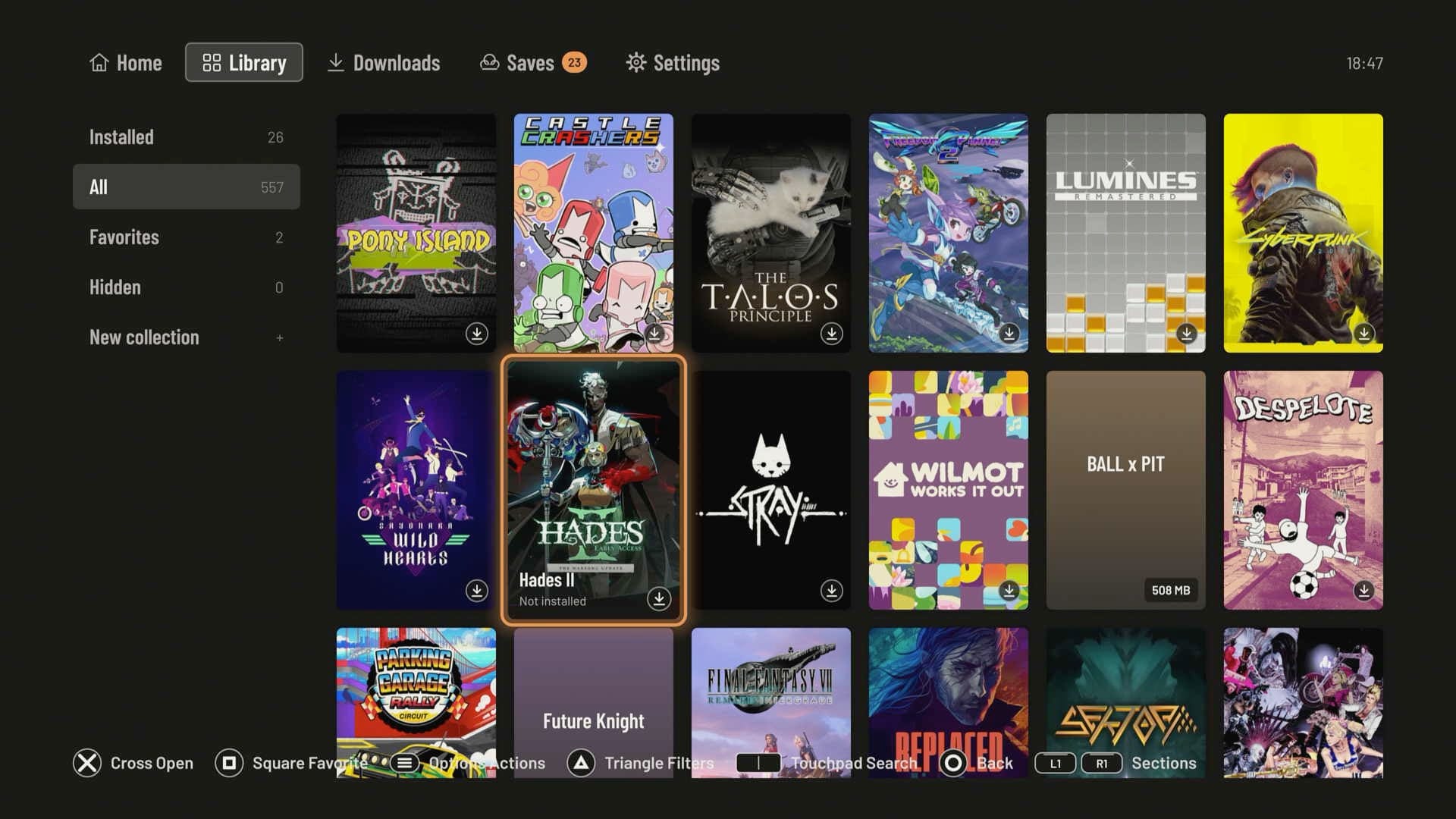

For years, playing a Steam library on a PlayStation 5 meant streaming from a PC or waiting for an official port. A homebrew project called Playden is testing a third path. On a jailbroken PS5 it signs in to Steam, downloads your Windows games, and runs them locally through a port of Wine. No PC, no stream, no Remote Play.
The project is leolobato/playden-ps5, GPL-3.0, and it reached v0.7.0 on 24 October. It is alpha software, and it asks for real trust: your Steam session, your Cloud saves, and a console with root-level helpers. But its compatibility list is no longer a demo. It tracks 193 games, and 131 of them reach gameplay.

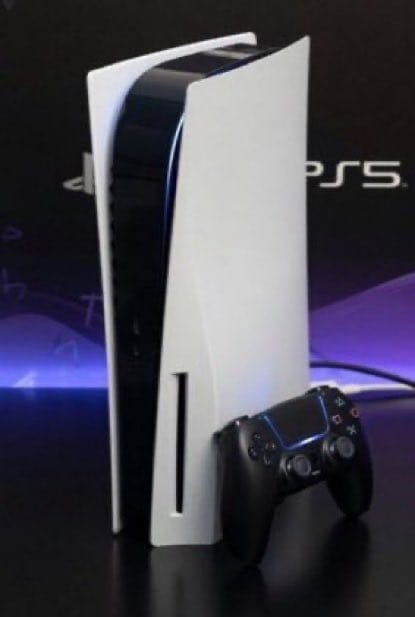
PS5 owners are now running PC games from Steam directly on the console, without streaming.
A project called Playden uses a Wine-based compatibility layer to run Windows games on jailbroken PS5 consoles.
Games like Cyberpunk 2077, Hollow Knight, Cuphead, Portal 2 and Dead Cells have already been shown running.
Playstation has no limits
 |  |
What Playden actually does
Playden is a launcher, not an emulator wrapper bolted onto the PS5 menu. It is adapted from the macOS Playden project, and it talks to Steam's servers directly, the way the official client does. You sign in with a QR code or an account name and password, including Steam Guard, then browse your library with cover art, search, collections, favorites and notes.
Downloads come from Steam, using your own licenses. The launcher prepares each game and hands it to a separate PS5 app made for that game. That app starts Wine with the game's settings, which is why every game gets its own tile on the Home screen and its own private Windows environment. Playden calls those environments bottles. A crash or a broken setting stays inside one game.
The runtime is split into a kit: Wine for the PS5, Mesa and the graphics drivers, a clean Windows environment, and the per-game app shell. Playden downloads the kit on first start and updates it when a release needs a newer one.
The stack: DXVK, vkd3d-proton and Zink on the PS5 GPU
The Windows games do not run on a Windows kernel. They run through prospero-win, a port of Wine to the PS5, with a 32-bit x86 translator for older games. Graphics are translated to Vulkan on the console's AMD GPU:
- Direct3D 8 to 11 through DXVK.
- Direct3D 12 through vkd3d-proton, from runtime kit 0.11.
- OpenGL through Mesa's Zink, on top of Vulkan.
- Vulkan games use the PS5's RADV driver directly.
Input covers XInput, DirectInput, Raw Input, Windows.Gaming.Input and the old multimedia joystick API, with rumble. Games see the DualSense as an Xbox controller. A USB mouse and keyboard work, and there are controller presets for using the left stick as a mouse or the D-pad as arrow keys. Games install to console storage or an exFAT USB drive, and Playden can also import Windows game folders you already own, without a Steam account.
What the compatibility list says
The project's compatibility list, last updated 24 October, is the most useful reality check. Of 193 tested games:
- 131 Works, reaching the menu and playing with controller or USB input.
- 15 Partial, playable with a problem that gets in the way.
- 43 Broken, starting but not reaching a playable state.
- 4 Refused, which Playden will not prepare without a manual override.
The five games in the X post are all marked Works: Cyberpunk 2077, Hollow Knight, Cuphead, Portal 2 and Dead Cells. That does not make the library universal. 32-bit games go through an x86 translator, which is slower, and 32-bit OpenGL games also translate Mesa itself. Games that need Denuvo or a separate Ubisoft, EA or Rockstar launcher will not run. Steam game updates are still planned, not shipped, and other stores are planned. The repository had 31 open issues when this was written.
The catch: alpha software, a jailbreak, and your Steam account
The README is blunt. Playden signs in to your real Steam account, downloads games with your licenses, and reads and writes your Steam Cloud saves. It says: "If you are not comfortable with these risks, do not use it."
Some of the risks are specific. The Steam sign-in token is stored on the console without encryption, so anyone with file access can read it; turning off "Stay signed in" avoids that. Cloud sync can overwrite good saves with older or broken ones. A running game can get elevated rights through the root helper, so only run games you trust. Valve does not support third-party clients, and the project is not affiliated with Valve or Sony.
The setup is not a normal console install either. It needs a jailbroken PS5 (the project tests firmware 13.60), kstuff loaded after each boot, ShadowMountPlus 1.7-beta5fix1 or 1.7beta2 for the Home screen tiles, elfldr on port 9021, nanoDNS if the console points DNS at 127.0.0.1, and an FTP server for the first install. Missing kstuff gives every game error CE-100008-9.
Why it matters
Streaming a PC game to a PS5 works, but it needs a PC, a stable network, and a second machine doing the rendering. Playden runs the game on the console. The PS5's GPU does the work through Vulkan, and each game is a native PS5 app with its own tile. That is a different category from Remote Play, and it is the reason the compatibility list matters more than the launch trailer.
It is also early. The repository was created on 12 October, has 450 stars and 34 forks, and shipped 0.5.0, 0.6.0 and 0.7.0 within a week. The pace is impressive, and the README documents the failure modes instead of hiding them. It is not a reason to jailbreak a console you rely on, and it is not a replacement for a PC library. It is a credible path to running Steam games locally on a PS5, with the rough edges still visible.
Bottom line
Check the compatibility list before you install anything. If your game is on the Works list, Playden is a real local option on a jailbroken console. If it is Partial, Broken or Refused, wait. The project is moving fast, but alpha is the correct label.
Sources: leolobato/playden-ps5, its compatibility list, the v0.7.0 release, and the X post embedded above. The feature image is a Playden screenshot from the project's README.