

Managing Pokémon save files across nine console generations has historically required tethering handhelds to desktop PCs running PKHeX. That paradigm has officially shifted. The open-source project PKForge, developed by sofianeelhor, brings a desktop-grade Pokémon save editor and a cross-generation, offline Pokémon Bank directly to Android—with dedicated optimizations for retro handhelds and dual-screen devices.
Built directly upon the industry-standard PKHeX.Core engine and bundling the essential Auto Legality Mod (ALM) natively into the APK, PKForge provides complete on-device editing, real-time legality validation, and cross-game storage without requiring an internet connection or external servers.
Cross-Generation Offline Bank: From Gen 1 to Gen 9
Acting as a completely free, local alternative to cloud services like Pokémon HOME and Pokémon Bank, PKForge introduces a unified cross-game storage vault:
- Universal Compatibility (Gen 1 – Gen 9): Supports every mainline title from Game Boy originals (Red/Blue/Yellow) all the way through to Nintendo Switch (Scarlet/Violet), alongside GameCube classics (Colosseum, XD: Gale of Darkness, Pokémon Box).
- Full ROM Hack Recognition: Includes custom data sets for leading community romhacks, including Pokémon Unbound, Radical Red, GS Chronicles, Luminescent Platinum, and Pokémon Compass.
- Drag-and-Drop Cross-Gen Transfers: Grab a Pokémon from a Game Boy Advance save and deposit it into a Nintendo Switch box. A real-time transfer preview shows every statutory adjustment, move compatibility check, and legality verdict before anything is committed to storage.
- Living Dex Autopilot: Automatically compiles a complete 1,025-species Living Pokédex from monsters scattered across all your connected game saves and Bank boxes, evolving trade evolutions seamlessly along the journey.
One-Tap Offline Legality & In-Depth Editing
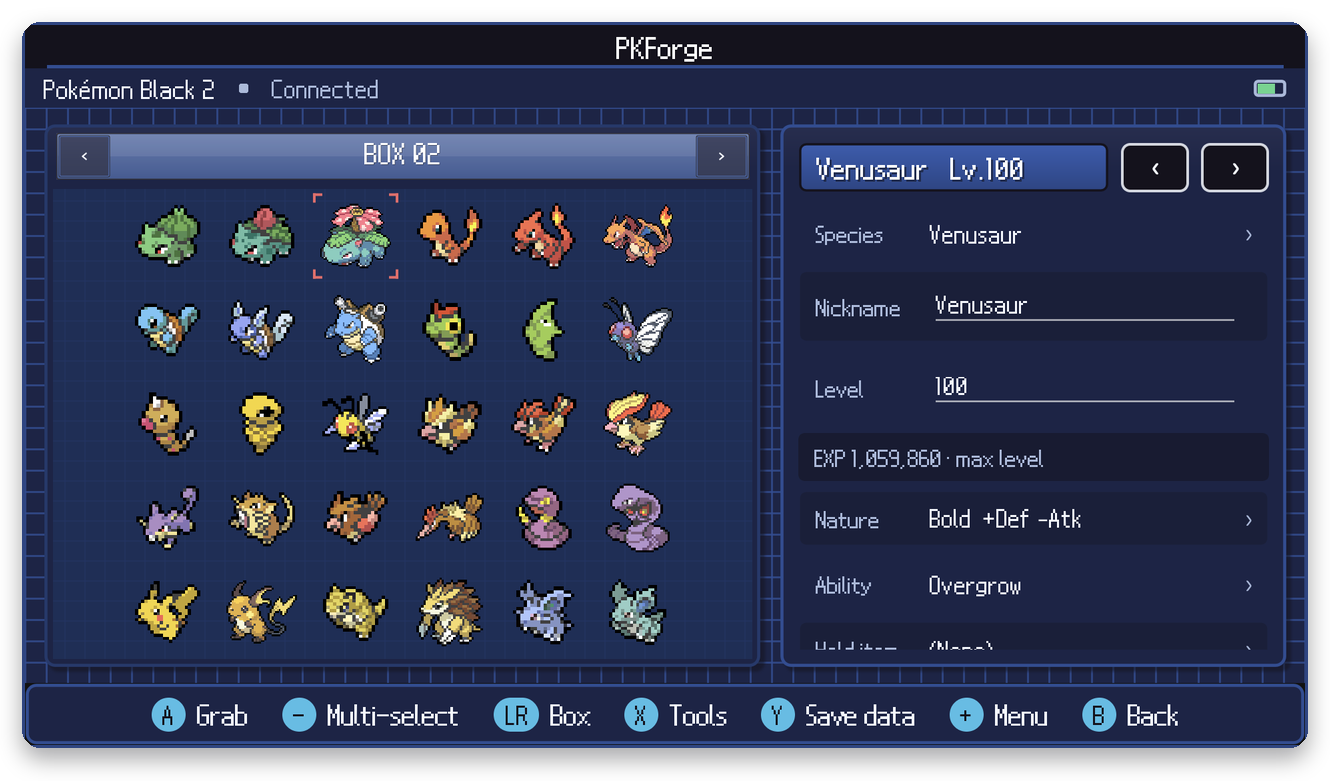
Because the Auto Legality Mod is integrated directly into the APK, legalizing competitive teams or wild catches runs instantly on-device:
- Comprehensive Inspector: Modify IVs, EVs, natures, abilities, held items, Tera types, Hyper Training, ribbons, Pokérus, Met locations, and friendship with instant legality badge indicators.
- Bundled Offline Mystery Gift Archive: Browse an extensive database of historical Nintendo Wonder Cards from past real-world distributions and inject events directly into your save.
- Trainer & Bag Editors: Refill pouches, adjust item quantities with single-tap presets, edit trainer IDs (OT/TID/SID), modify badges, and manage currency.
- RNG & Breeding Tools: Inspect PID generation, reroll natures while locking shininess, and generate or hatch eggs across Day Care and Nursery systems.
- Showdown Integration: Import and export competitive Smogon / Pokémon Showdown text sets, or share teams with friends via scannable QR codes.
Tailored for Android Handhelds & Dual-Screen Devices
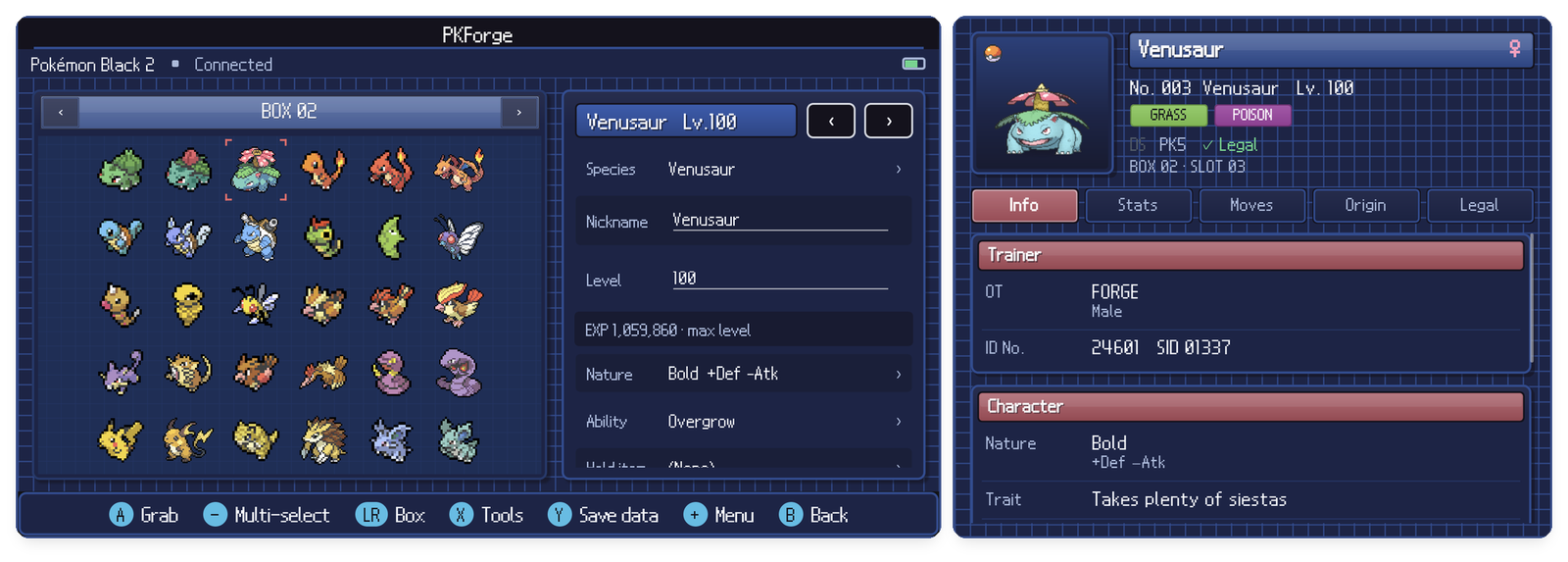
While standard mobile ports often struggle with cluttered touch interfaces, PKForge was architected specifically for dedicated retro gaming handhelds (AYN Odin, Retroid Pocket, Anbernic) and dual-screen hardware (AYN Thor, Surface Duo, LG Dual Screen):
- Full Gamepad Navigation: Fluid physical D-pad and analog stick navigation across all box interfaces, context menus, and editor tabs.
- Dual-Screen Workspace: On compatible dual-screen hardware, the primary display renders your active PC boxes while the secondary screen acts as an uninterrupted Pokédex viewer, stat inspector, or Poképark journal.
- Seamless Emulator Linking: Automatically detects and hooks save paths for leading Android emulators, including RetroArch, Pizza Boy, melonDS, DraStic, Dolphin, Lime3DS / Citra, and Eden.
- Bulletproof Save Safety: Automatically validates every file write and creates snapshot restore points (retaining the 20 most recent backups), guaranteeing your progress is protected.
Installation & Project Links
PKForge is distributed as a standalone, zero-telemetry Android APK under the open-source GPLv3 license:
- Download the latest PKForge APK from the GitHub Releases page.
- Install the package on your Android device (enabling unknown sources if prompted).
- On first boot, link your emulator save directories or open individual
.sav/.dsv/.binfiles directly.
🔗 Project Links & Downloads
- GitHub Repository: github.com/sofianeelhor/PKForge
- Latest Release Downloads: PKForge GitHub Releases (Direct APK)
- Official Wiki & Documentation: PKForge User Manual & Emulator Setup Guide
- Community Discord: discord.gg/bMtzZmTDfu (Official Support Server)