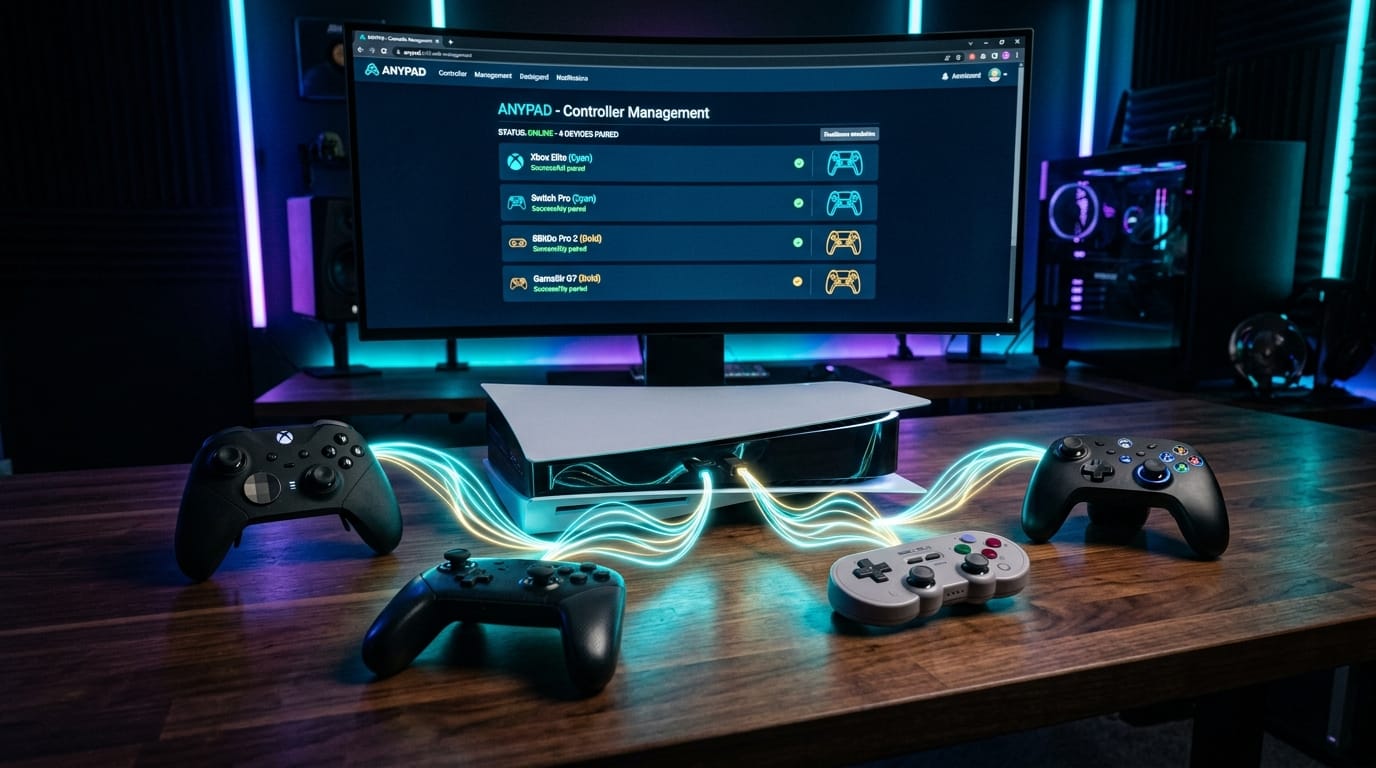

One of the most persistent frustrations of the PlayStation 5 generation has been peripheral lock-in. While Sony's official DualSense controller is a masterclass in haptics and ergonomics, millions of gamers prefer the offset analog thumbsticks of an Xbox controller, the d-pad precision of an 8BitDo pad, or simply want to use their existing DualShock 4 controllers for native PS5 titles without being blocked by Sony's artificial restrictions.
Historically, solving this required purchasing clunky \$50–\$80 USB converters like the Brook Wingman, Mayflash Magic, or Titan Two—adapters that hog console ports and frequently suffer from latency or firmware patch obsolescence.
That paradigm is officially over. Following its migration to Codeberg, developer elmonomalvad0 has released AnyPad PS5 v0.8.1-beta. This groundbreaking open-source payload turns the PS5's internal Bluetooth transceiver into a universal wireless hub, time-slicing the console's Broadcom/Marvell radio to pair third-party gamepads and presenting them to the FreeBSD kernel as fully authentic virtual DualSense controllers.
Whether you want to play Astro Bot with an Xbox Elite Series 2, run local couch multiplayer with four different brand controllers, or map custom PS button macros, this comprehensive guide covers every new feature, compatibility update, and step-by-step installation instructions for AnyPad PS5 v0.8.1.
What’s New in AnyPad PS5 v0.8.1-Beta?
Earlier iterations of AnyPad (such as v0.6.0) proved the concept, but occasionally suffered from finicky Bluetooth pairing handshakes and required multiple attempts to establish a stable link. The v0.8.1-beta release delivers massive stability and quality-of-life overhauls:
[BT_PAIRING] Sub-second connection negotiation; 99% first-attempt success rate
[NEW_VERIFIED] GameSir G7 SE (USB ID 3537:1010) officially verified on hardware
[FEATURE] 'Configure PS' allows 1-to-3 button combo mapping for PS button emulation
[LATENCY] Zero-lag polling loop optimized for twitch shooters and emulators
[LOCALIZATION] 12 Languages dynamically synchronized to PS5 OS locale
[EMULATOR_DEV] Open API & Bluetooth stack sharing offered to PS5 homebrew teams
[ROADMAP] Ports to PlayStation 4 and PS5 FW 13.60 actively in development- Sub-Second Rapid Pairing: Controllers such as the DualShock 4 and 8BitDo pads now sync within 2–3 seconds on the very first attempt. The web interface includes a dynamic countdown timer indicating when the console is negotiating the link.
- GameSir G7 SE Officially Verified: The Hall-effect favorite GameSir G7 SE (ID 3537:1010) joins the elite verified tier alongside the Sony DualShock 4 v2 and 8BitDo SF30 Pro.
- Custom "Configure PS" Button Mapping: Controllers lacking a native PlayStation button (like the Nintendo Switch Pro, 8BitDo, and generic pads) previously had no easy way to access the PS5 Control Center. In v0.8.1, players can map any single button OR a combination of up to three buttons (e.g.
Select + Start + Down) to trigger the PS button. AnyPad detects the held inputs for one second and permanently binds the profile for that gamepad model. - Zero-Lag Polling Engine: The input polling loop has been restructured to minimize thread contention, resulting in buttery-smooth input responsiveness indistinguishable from a wired connection.
- Twelve Localized Languages: The management dashboard automatically follows the PS5's system language, supporting English, Spanish, French, Italian, Portuguese, German, Russian, Simplified Chinese, Traditional Chinese, Japanese, Korean, and right-to-left Arabic.
- Emulator Integration Initiative: Developer elmonomalvad0 has extended an open invitation to PS5 emulator authors (including teams behind PS5SX2, KytyPS5, and RetroArch) to incorporate the AnyPad Bluetooth codebase directly into standalone emulators.
Complete AnyPad PS5 Controller Compatibility Matrix
AnyPad PS5 reads native HID descriptors directly from connected gamepads, automatically applying optimized button maps. Below is the verified and supported hardware breakdown:
| Controller Model | Hardware USB ID | Compatibility Status | Notes & Instructions |
|---|---|---|---|
| Sony DualShock 4 v2 (CUH-ZCT2) | 054c:09cc |
✅ Verified on Real PS5 | Hold Share + PS until lightbar double-flashes to pair. |
| 8BitDo SF30 Pro / Pro 2 | Switch Mode | ✅ Verified on Real PS5 | Sync in Switch mode. Use 'Configure PS' for home button. |
| GameSir G7 SE | 3537:1010 |
✅ Verified on Real PS5 | Hall Effect sticks fully calibrated; zero deadzone drift. |
| Nintendo Switch Pro Controller | 057e:2009 |
🧪 Supported in Code | Uses official Switch HID protocol. Press sync button near USB-C. |
| Nintendo Switch Online (SNES / N64 / MD) | 057e:2017 / 2019 / 201a |
🧪 Supported in Code | Perfect for retro recompilations and PS5 emulation cores. |
| Xbox Wireless (Series X|S / One S) | 045e:0b13 / 02e0 |
🧪 Supported in Code | Bluetooth LE pairing profile integrated into payload. |
| Xbox Elite Series 2 & Adaptive Pad | 045e:0b00 / 0b0a / 0b22 |
🧪 Supported in Code | Accessible input layouts mapped to virtual DualSense sticks. |
| Razer Raiju Ultimate / Tournament | 1532:1009 / 100a |
🧪 Supported in Code | Direct PS4 legacy layout mapping. |
| SCUF Vantage 2 & Hori Onyx | 2e95:7725 / 0f0d:00f6 |
🧪 Supported in Code | Third-party licensed controller HID descriptors supported. |
| Generic Bluetooth HID Gamepads | Any standard Bluetooth pad | 🧪 Generic Profile | Applies standard Android/XInput layout; configurable via .map files. |
Note: DualShock 3, single Joy-Cons, and Wii Remotes are currently not supported due to proprietary Bluetooth handshake eccentricities.
Step-by-Step Tutorial: How to Install and Use AnyPad PS5
Setting up AnyPad PS5 requires a jailbroken console capable of running ELF payloads (tested on PS5 Fat, Firmware 10.01 with ShadowMountPlus / kstuff-lite, with 13.60 support underway):
Step 1: Download the Payload
Download the latest official binary AnyPad-PS5-0.8.1-beta.elf directly from the project's Codeberg Releases page. Verify the file integrity against the provided .sha256 checksum.
Step 2: Inject the Payload
Send AnyPad-PS5-0.8.1-beta.elf to your PS5 using your standard payload launcher (such as Netcat, Payload Guest, or etaHEN on port 9020/9021).
Step 3: Open the Management Web Dashboard
Once injected, AnyPad runs a resident web server on the console. You can access the interface in two ways:
- Navigate to the Media (Contenido multimedia) tab on your PS5 home screen and select AnyPad.
- Open a browser on your smartphone, PC, or tablet connected to the same local network and visit:
http://<YOUR-PS5-IP>:8095
Step 4: Put Controller in Pairing Mode
On the web interface, click the Emparejar (Pair) button. Immediately place your controller into Bluetooth discovery mode:
- DualShock 4: Press and hold
Share + PSuntil the lightbar rapidly double-flashes white. - 8BitDo Controllers: Hold the small circular
Pairbutton for 3 seconds until the indicator LEDs strobe. - Nintendo Switch Pro: Press the small sync button adjacent to the top USB-C charging port.
- Xbox Wireless Controller: Press the Xbox button to power on, then hold the sync button on the top edge for 3 seconds until the Xbox jewel flashes rapidly.
Step 5: Assign as "Quick Play / Guest" User
When the controller completes pairing, the PS5 operating system will display the standard prompt: "Who is using this controller?"
Crucial Rule: Always select Quick Play / Guest (Juego rápido / Invitado). This ensures your primary PSN profile retains ownership of the physical DualSense, allowing seamless hot-swapping between controllers during gameplay.
Vital Troubleshooting: Preventing the "Blue Blinking Light" Loop
Because AnyPad shares the console's internal Bluetooth hardware with the FreeBSD kernel, improper power states can confuse the Bluetooth controller stack. Follow these essential best practices:
1. Disable Automatic Controller Power-Off
If your native DualSense controller powers down due to inactivity while AnyPad is actively running, it can trigger an asynchronous state conflict resulting in a continuous blinking blue light until the console is rebooted. Prevent this by adjusting your system power settings:
Settings → System → Power Saving → Set Time Until Controllers Turn Off → Don't Turn Off
2. Always Cleanly Shut Down AnyPad Before Sleep/Reboot
Never put your console into Rest Mode or shut down while AnyPad is actively running. In the web dashboard at port 8095, always click the dedicated Apagar AnyPad PS5 (Shut Down AnyPad) button. Note that clicking "Exit" merely closes the web page, leaving the resident payload active.
3. Clean-State Architecture
AnyPad intentionally does not cache paired devices across console reboots. Each time you inject the payload, it establishes a fresh, uncorrupted Bluetooth state. If an external pad ever fails to respond, simply power the controller off, click Pair on the dashboard, and reconnect.
AnyPad vs. Hardware Converters: Why Software Wins
| Feature | AnyPad PS5 v0.8.1 | Hardware Converters (Brook / Mayflash) |
|---|---|---|
| Cost | Free & Open-Source (GPLv3) | \$45 – \$85 USD per adapter |
| USB Port Usage | Zero ports used (Internal Bluetooth) | Requires 1 USB port per connected controller |
| Multi-Controller Local Play | Multiple pads simultaneously | Requires buying multiple hardware dongles |
| Input Latency | Near-zero native polling | Adds 4ms – 12ms USB translation overhead |
| Custom Button Remapping | Built-in 'Configure PS' & .map files | Requires external PC configuration software |
Frequently Asked Questions (FAQ)
Can I play native PS5 games with an Xbox or DualShock 4 controller?
Yes. On unmodded PS5 consoles, Sony artificially restricts the DualShock 4 to backwards-compatible PS4 games only. Because AnyPad emulates a full DualSense controller at the kernel level, the PS5 recognizes external gamepads as authentic native DualSense controllers, allowing you to play exclusive PS5 software like Astro Bot, Returnal, or Demon's Souls.
Does AnyPad PS5 support haptic feedback and adaptive triggers?
Standard rumble and vibration are translated into conventional motor feedback. However, advanced DualSense features (such as voice-coil haptic actuators and motorized resistive triggers) are physically exclusive to official DualSense hardware and cannot be replicated on Xbox or Switch controllers.
Where can I support the developer or report controller logs?
Developer elmonomalvad0 is actively collecting test logs to expand compatibility toward PlayStation 4 and firmware 13.60. If you test a controller, extract /data/anypad/anypad.log and email it to [email protected]. You can also support console testing hardware on their official Throne page.
Download AnyPad PS5 v0.8.1-beta now on Codeberg and liberate your controllers from proprietary jail.
RECOMP THE PLANET.